Group View, for Editors
Buttons
When Edit Mode is active, more buttons are displayed:
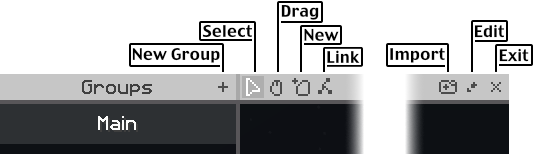
From left to right, these buttons are:
New Group: for adding groups.Selecttool: for selecting questsImport: for importing quest dataEdit Mode: for entering or leaving Edit ModeExit: for exiting Heracles
Not shown:
Delete Group: when hovering a group name, an 'x' appears, for deleting that group
Quest Settings
When a quest is selected in Edit Mode, a panel of options for that quest appears on the right side:
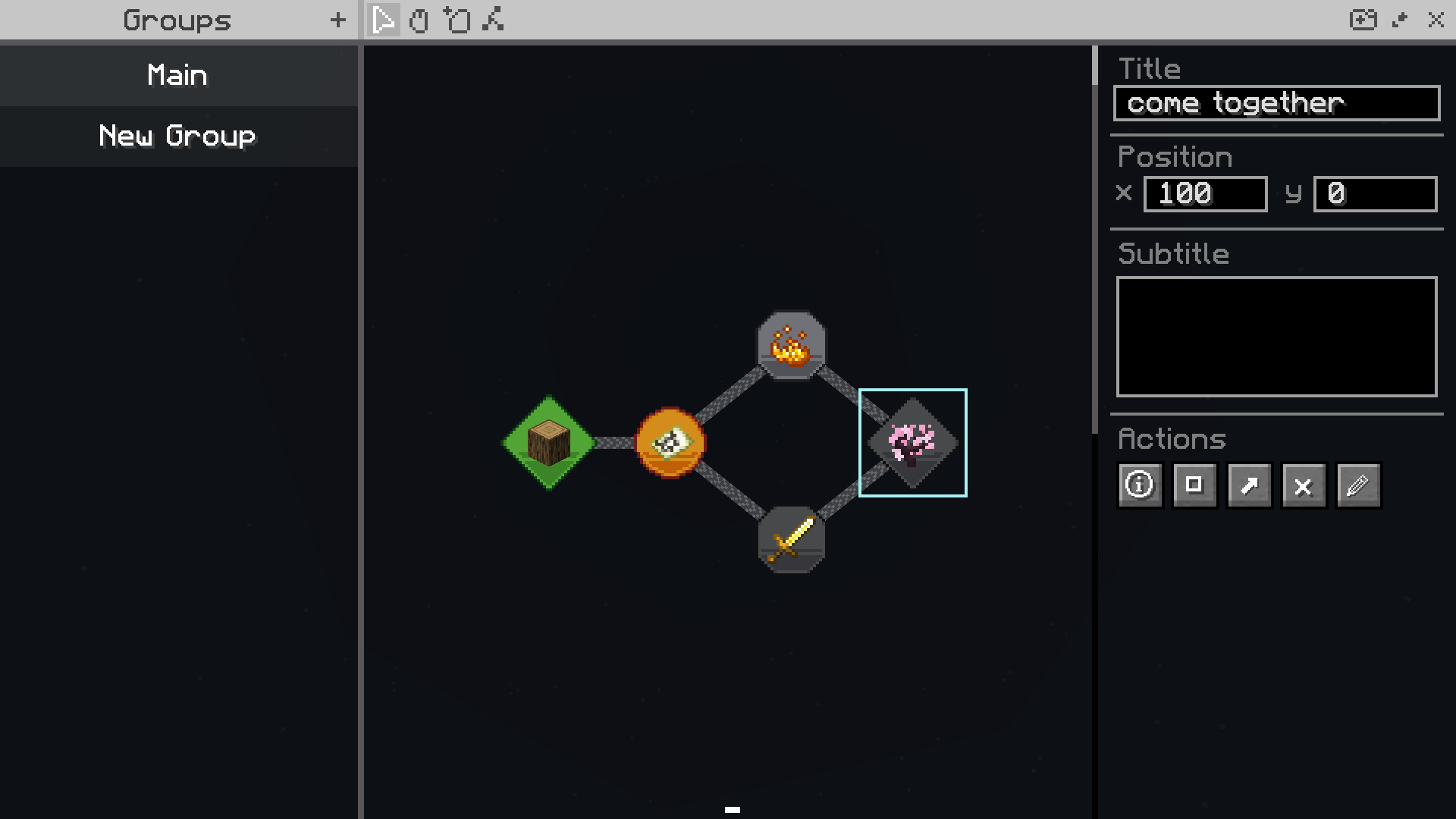
Underneath the Title, Position, and Subtitle boxes, are five "Action" buttons.
From left to right these buttons are:
Change IconChange Icon BackgroundChange DependenciesDeleteEdit Quest Settings
Options for Hide Until
The Edit Quest Settings action button brings up a pop-up box with five settings:
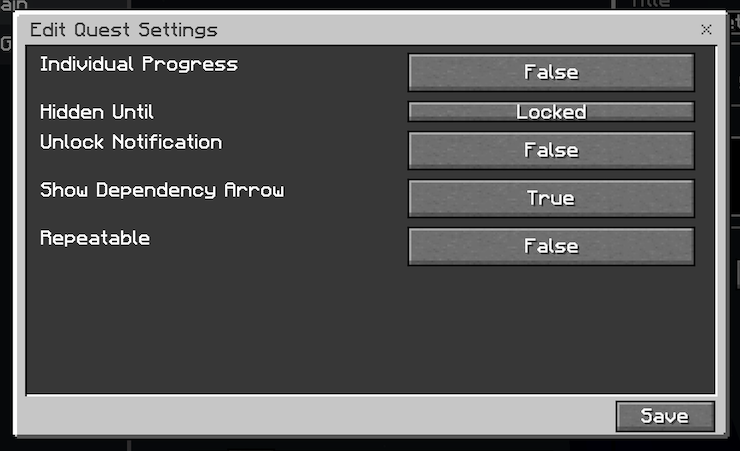
The options for Hidden Until may warrant explanation; the rest are fairly self-explanatory
Hidden Until options are:
Locked: Always display this quest (don't hide it)In Progess: Hide until dependencies are completedCompleted: Hide until this quest itself is completedParents Visible: Hide this quest until it's dependencies are visible